



Events are one of the highest-stakes sales moments, and one of the least prepared-for content situations.
Sellers show up with different versions of the deck. Booth screens go dark when venue Wi-Fi fails. Follow-up emails go out three days later, generic and disconnected from the actual conversation. And marketing has no idea what content worked, what didn't, or which leads were actually engaged.
Showell gives teams a single, controlled content environment for the full event cycle: from content setup before the show, to live presentations on the floor, to personalized follow-up and analytics after.
What You Can Do with Showell at EventsWith Showell, your event content workflow covers five areas:
|
How It Works: Before, During, and After
Showell can support the full event content cycle, content control before the show, live presentations on the floor, and personalized follow-up after. Here's how each phase works in practice.
Before the Event: Control What Sellers Use
The most common event content problem happens before anyone sets foot on the floor. Materials are scattered across shared drives, email attachments, and personal folders. One rep presents last quarter's pricing sheet. A distributor uses a brochure that no longer matches the current brand.
With Showell, marketing teams publish event content to one central location. Update it once, and every seller, rep, dealer, or partner, gets the current version automatically. No manual file sends. No version control spreadsheets. No "which deck did you use?" after the fact.
Before the event, you can set up and organize:
-
Event-specific presentations and product brochures
-
Campaign materials, videos, and visual assets
-
Case studies and interactive product content
-
Distributor or partner materials
-
Booth display content
-
Post-event follow-up packages
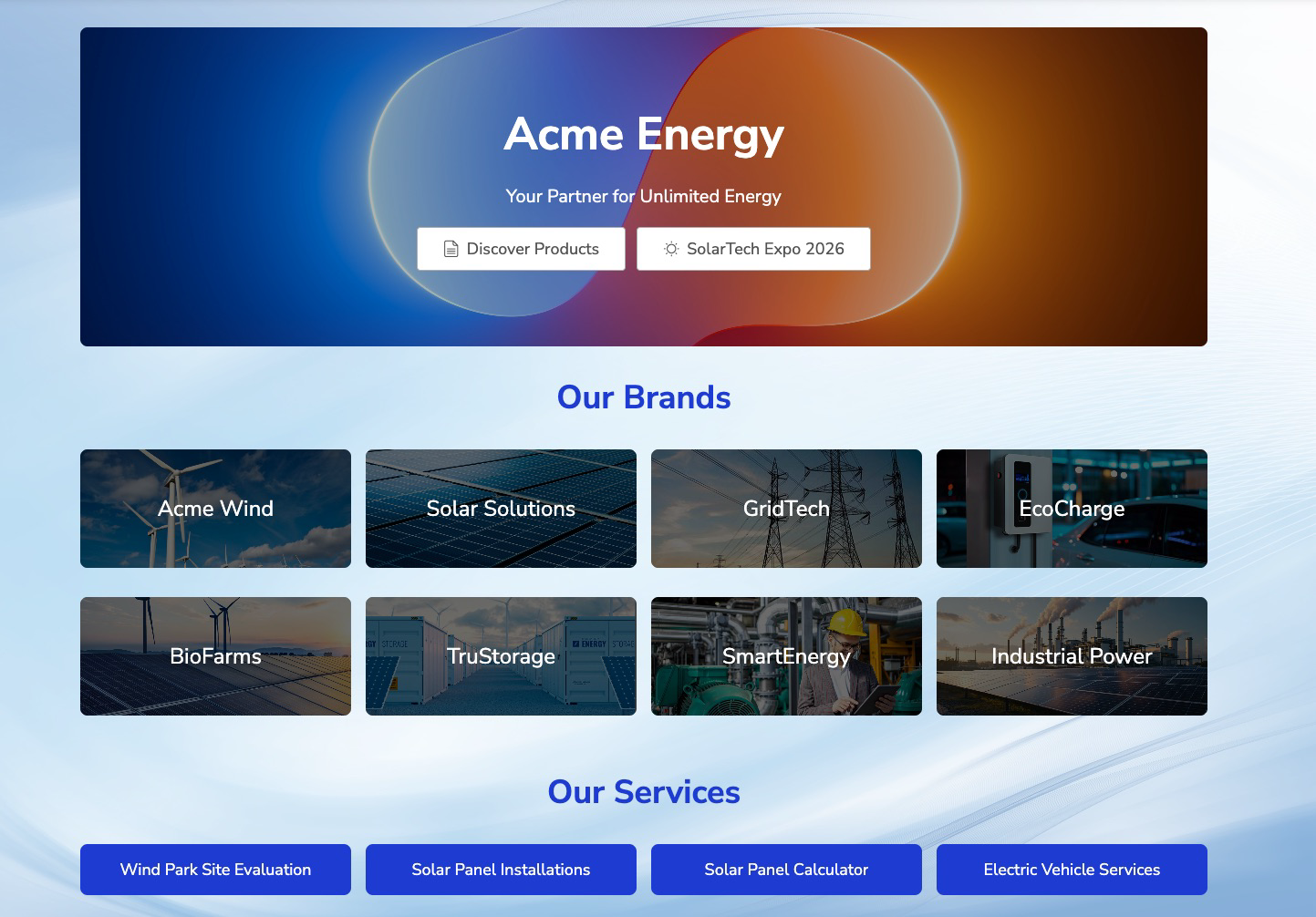
Once content is in Showell, use Layout Builder to create a branded event workspace. Instead of a generic folder view, sellers open a homepage designed around the flow of booth conversations, organized by visitor type, product category, industry, or conversation stage, with branded visuals and clear navigation.
The result: sellers walk into the event knowing exactly where to go, and marketing knows exactly what they're presenting.
During the Event: Present Without Scrambling
Event floors are fast-moving. Sellers switch between one-on-one conversations, group demos, and walk-by pitches, sometimes within minutes. They don't have time to search for files or recover from a frozen screen.
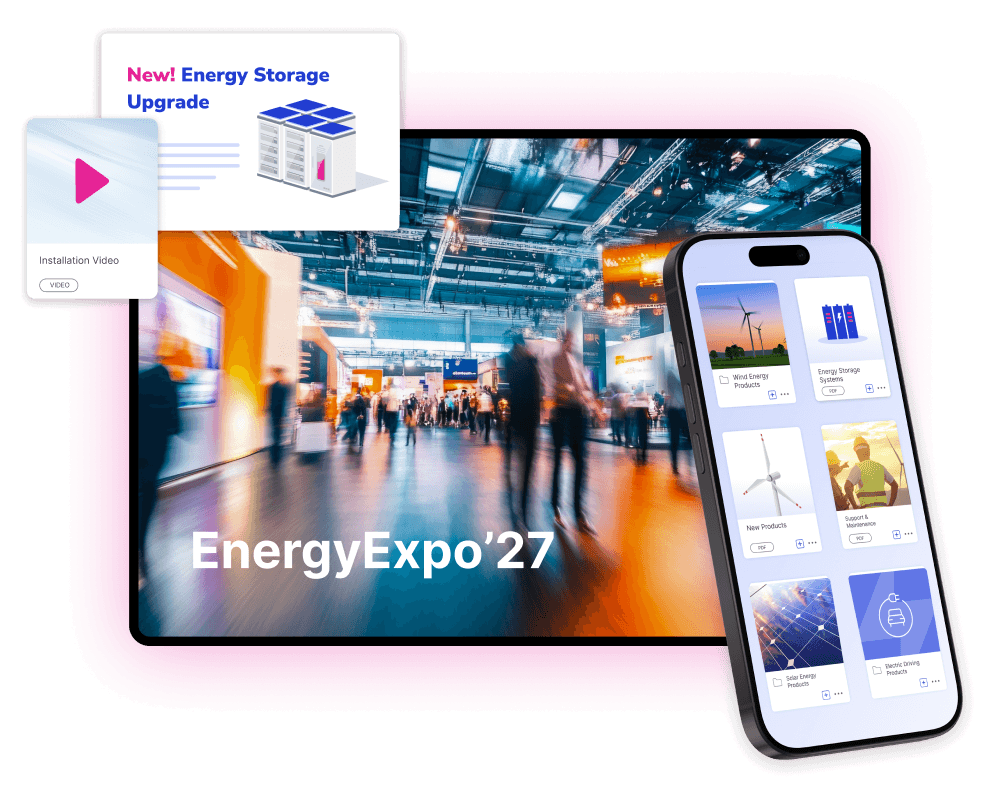
Showell runs on tablets and booth screens with full offline access. When venue Wi-Fi is unreliable (and it usually is), content keeps loading. Sellers stay in the conversation instead of troubleshooting.
From the event workspace, sellers can:
- Move naturally between product overviews, case studies, videos, and brochures without breaking flow
- Pull up the right materials based on who they're talking to, not just what's top of the folder
- Present on a booth screen for groups or a tablet for one-on-one conversations
Flow Apps are custom interactive tools built inside Showell: product configurators, side-by-side comparisons, guided product walkthroughs, and lead capture forms, designed to help sellers structure live conversations on the floor rather than just present at someone.
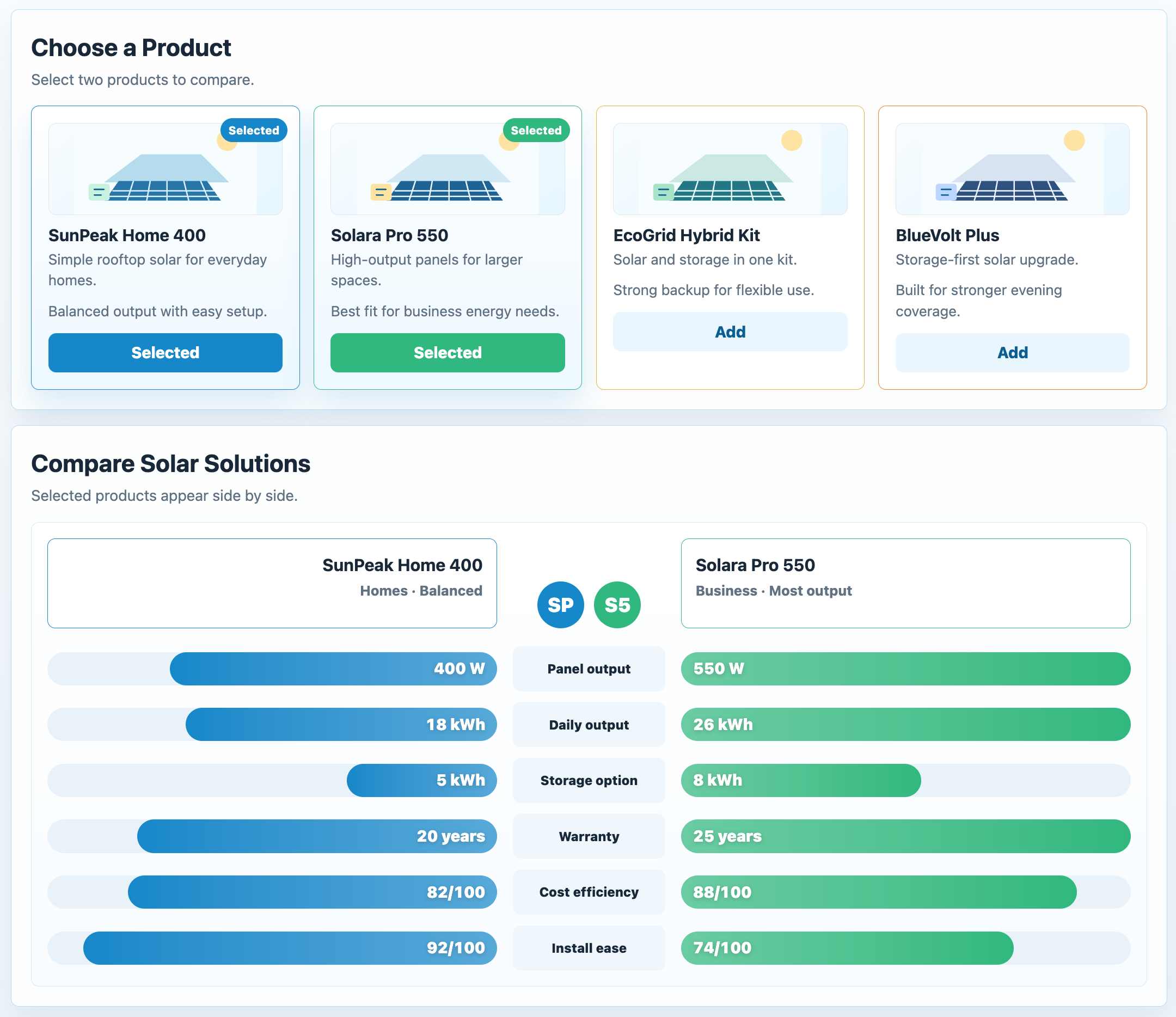
Instead of handing someone a PDF and hoping they read it later, sellers can guide visitors through a live, structured experience: a product configurator that shows options based on the visitor's answers, a side-by-side comparison that helps them see how two solutions differ, or a step-by-step product walkthrough tailored to their use case.
The conversation stays moving because the content is doing work in it, not just sitting alongside it.
Lead capture is where the real argument for Flow Apps lands. After a busy event day, sellers can't reliably reconstruct which visitor was excited about which product, or what the agreed next step was for each conversation.
A lead capture form built into the Flow App collects that context while it's still accurate: visitor details, specific product interests, and follow-up intent, captured at the moment of peak engagement. When sellers sit down to follow up the next morning, they're not working from memory and business cards, they're working from a record of what actually mattered to each person.
After the Event: Follow Up Before the Momentum Fades
Most event follow-up fails because it's slow and generic. Sellers leave the floor exhausted, and by the time they pull together a follow-up email, the prospect has heard from three other vendors.
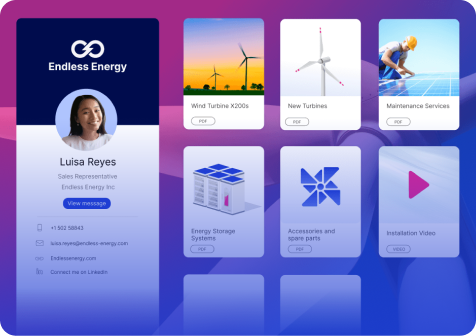
With Showell's Digital Sales Rooms, sellers can create a personalized, branded follow-up link in minutes. No attachments. No long email threads. One clean link with the content that matches what was actually discussed, the product brochure, the case study, the technical spec, the next-step materials.
You can also display a DSR QR code at the booth. Visitors scan it during the conversation and get immediate access to the materials, no business card exchange, no "I'll send it over later." The content is in their hands before they leave the booth, and the Digital Sales Room can be updated after the event so the link always stays relevant.
Prospects get a professional follow-up that reflects the specific conversation. Sellers get a process they can actually maintain across dozens of contacts in a short window.
After the Event: See What Worked
Once follow-up is out, the real question is: what happened?
Showell Analytics shows which content sellers used on the floor, which materials were shared after the event, and how prospects engaged with what they received. Which documents were opened. Which were viewed for more than a few seconds. Which leads returned to the link a second time.
This turns event gut feel into actual data. Marketing can see which assets drove engagement and which ones no one used. Sales can prioritize follow-up based on who showed the strongest intent. And the next event starts with better content choices instead of the same guesswork.
Here's how an event workflow with Showell looks like:
How This Benefits Your Team
For sellers: One place to go, content that's current, and a follow-up process that doesn't require rebuilding from scratch after every conversation. They present confidently and follow up quickly, without the content chaos that usually follows a busy event day.
For marketing teams: Full control over what sellers use, visibility into what's actually working, and the data to make smarter decisions about event content before the next show.
For sales and event managers: A consistent, brand-aligned experience across sellers, booths, locations, and partner teams, without having to police individual decks or chase down who used what.
The Business Value
Events are expensive. The return on that investment depends on what happens in the conversations on the floor and the follow-up that comes after.
When sellers are digging through folders, presenting outdated content, or sending slow generic follow-ups, that investment gets smaller. When they're working from one clean, controlled content environment, presenting the right thing, following up the same day, and giving marketing the data to improve, the event becomes a measurable sales motion instead of a one-time expense.
Frequently Asked Questions
-
What is Showell for events and trade shows? Showell is a field sales enablement platform that gives event teams one controlled content environment for the full event cycle. Marketing teams manage and publish approved materials centrally; sellers access, present, and share that content on the event floor; and follow-up happens via personalized Digital Sales Rooms, all tracked through Showell Analytics.
-
Can sellers use Showell without internet at a trade show? Yes. Showell supports full offline access, so sellers can present content on tablets and booth screens even when venue Wi-Fi is unreliable or unavailable.
-
What are Flow Apps in Showell? Flow Apps are custom interactive tools built inside Showell, product configurators, guided comparisons, multi-step walkthroughs, and lead capture forms. They're designed to help sellers structure live conversations rather than just show static content.
-
How does Showell help with event follow-up? Sellers use Showell's Digital Sales Rooms to create a personalized, branded content link for each prospect, tailored to the specific conversation rather than a generic deck. QR codes can also be displayed at the booth so visitors access materials on the spot, before they leave.
-
How does Showell help measure event ROI? Showell Analytics shows which content sellers used during the event, which materials were shared afterward, and how prospects engaged with what they received, including which documents were opened, viewed, and returned to. This connects event activity to lead intent and informs what content to prioritize for future shows.