



Blog Post by Feature Spotlight
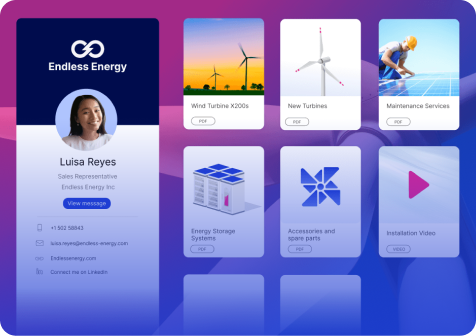
Digital Sales Room: Sharing and Tracking
Still sending your deck as an email attachment? It leaves your inbox, and that's the last ...
Start Reading
Design Your Showell Workspace with Layout Builder
For many teams, content in Showell is organized in folders and subfolders. This structure ...
Start Reading
Use Showell Inside Salesforce to Share and Track Sales Content
For many sales teams, Salesforce is the system of record for deals. It is where the ...
Start Reading
Controlled Editing of Google Files in Showell
In many Showell workspaces, content governance is intentional. Admins restrict direct ...
Start Reading
Edit Files in Showell with the MS Office Files Editor
For many sales teams, Microsoft PowerPoint, Word, and Excel remain central to how ...
Start Reading
MS Office File Viewer: Open & Present MS 365 Files Directly in Showell
Sales presentations only work when they are delivered as intended. Animations, ...
Start Reading
How Digital Sales Room Video Greetings Leave a Lasting Impression
If you’re a modern-day salesperson, chances are most of your interactions with buyers and ...
Start Reading
AI-Powered Search
Showell’s AI-powered search makes finding information easy and fast, making it easier to ...
Start Reading
Learning Management System for Sales Training (LMS)
Managing training programs across different platforms can be a hassle. With Showell’s ...
Start Reading
Digital Sales Room Branding
Branding plays a crucial role in creating a professional and cohesive look for your ...
Start Reading